> ## Documentation Index
> Fetch the complete documentation index at: https://docs.trusapien.com/llms.txt
> Use this file to discover all available pages before exploring further.
# Connectors
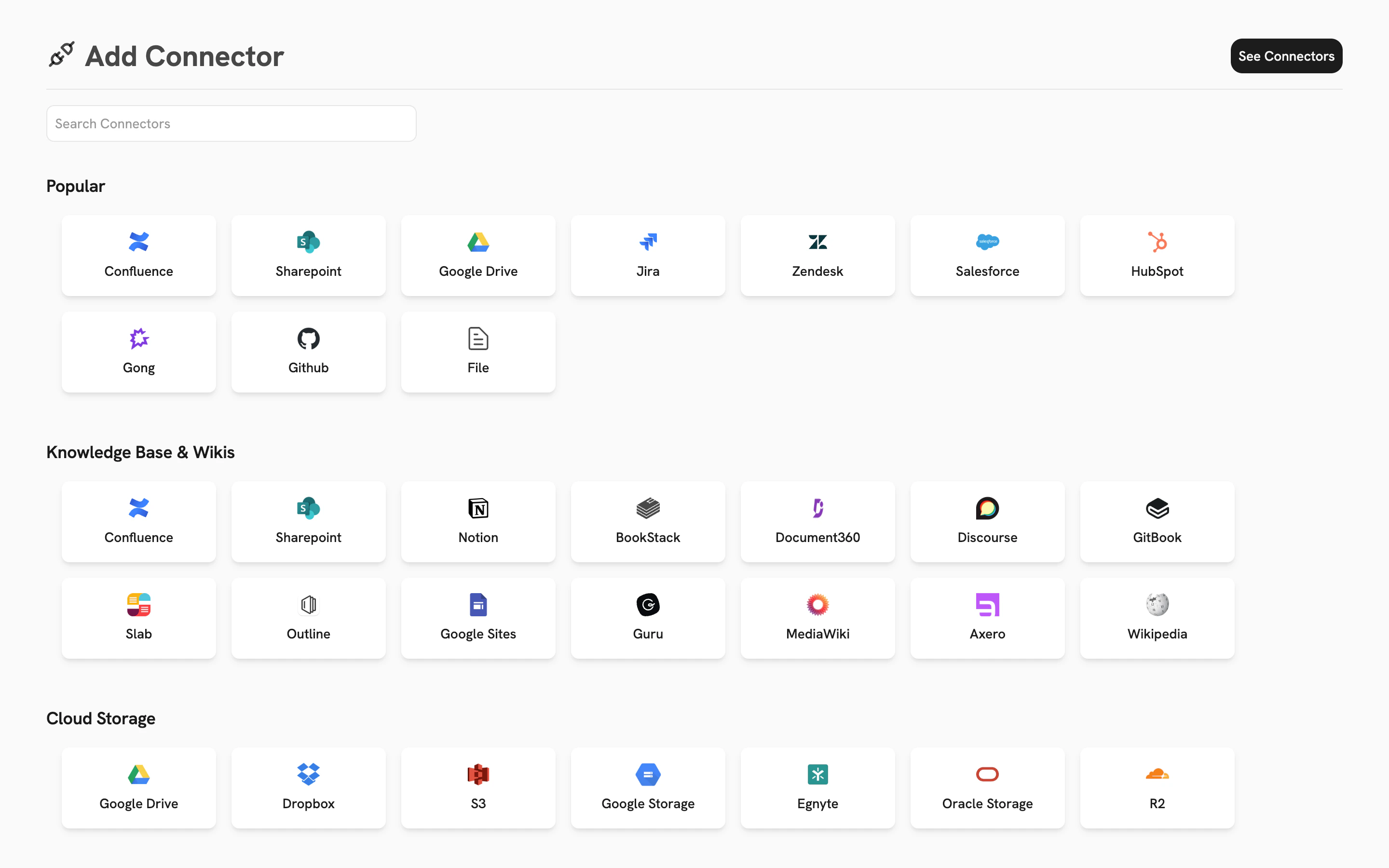
> Connect your organization's tools and documents: 39 Connectors across 7 categories so your Agents work with your real data
Your tools stay where they are. Trusapien connects to them, and your Agents search that data through Knowledge Grounding. **39 Connectors across 7 categories** cover knowledge bases, cloud storage, ticketing systems, sales platforms, code repositories, and more.
 Having trouble setting up a Connector? Contact us at [support@trusapien.com](mailto:support@trusapien.com).
## Knowledge Base & Wikis
Connect your documentation platforms so your Agents can search and reference your team's accumulated knowledge.
Atlassian Confluence spaces and pages
Microsoft SharePoint sites and documents
Notion workspaces, pages, and databases
BookStack shelves, books, and chapters
Document360 knowledge base articles
Discourse forum topics and posts
GitBook documentation spaces
Slab knowledge base posts
Outline wiki documents and collections
Google Sites pages and content
Guru knowledge cards and collections
## Cloud Storage
Connect your file storage so your Agents can access documents, spreadsheets, presentations, and other files your team relies on.
Google Drive files and folders
Dropbox files and folders
Amazon S3 buckets and objects
Google Cloud Storage buckets
Egnyte files and folders
Oracle Cloud Object Storage
Cloudflare R2 object storage
## Ticketing & Task Management
Connect your project and task management tools so your Agents can reference tickets, issues, and project context.
Jira projects, issues, and comments
Zendesk tickets and articles
Airtable bases, tables, and records
Linear issues and projects
Freshdesk tickets and knowledge base
Asana tasks, projects, and portfolios
ClickUp tasks, docs, and spaces
ProductBoard features and insights
## Sales
Connect your sales tools so your Agents can access customer data, call recordings, and sales intelligence.
Salesforce objects, records, and reports
HubSpot contacts, deals, and content
Gong call recordings and transcripts
Fireflies meeting transcripts and notes
Highspot sales enablement content
## Code Repositories
Connect your code repositories so your Agents can reference code, documentation, and technical context.
GitHub repositories and documentation
GitLab repositories and wikis
Bitbucket repositories and pull requests
Having trouble setting up a Connector? Contact us at [support@trusapien.com](mailto:support@trusapien.com).
## Knowledge Base & Wikis
Connect your documentation platforms so your Agents can search and reference your team's accumulated knowledge.
Atlassian Confluence spaces and pages
Microsoft SharePoint sites and documents
Notion workspaces, pages, and databases
BookStack shelves, books, and chapters
Document360 knowledge base articles
Discourse forum topics and posts
GitBook documentation spaces
Slab knowledge base posts
Outline wiki documents and collections
Google Sites pages and content
Guru knowledge cards and collections
## Cloud Storage
Connect your file storage so your Agents can access documents, spreadsheets, presentations, and other files your team relies on.
Google Drive files and folders
Dropbox files and folders
Amazon S3 buckets and objects
Google Cloud Storage buckets
Egnyte files and folders
Oracle Cloud Object Storage
Cloudflare R2 object storage
## Ticketing & Task Management
Connect your project and task management tools so your Agents can reference tickets, issues, and project context.
Jira projects, issues, and comments
Zendesk tickets and articles
Airtable bases, tables, and records
Linear issues and projects
Freshdesk tickets and knowledge base
Asana tasks, projects, and portfolios
ClickUp tasks, docs, and spaces
ProductBoard features and insights
## Sales
Connect your sales tools so your Agents can access customer data, call recordings, and sales intelligence.
Salesforce objects, records, and reports
HubSpot contacts, deals, and content
Gong call recordings and transcripts
Fireflies meeting transcripts and notes
Highspot sales enablement content
## Code Repositories
Connect your code repositories so your Agents can reference code, documentation, and technical context.
GitHub repositories and documentation
GitLab repositories and wikis
Bitbucket repositories and pull requests