

Browsing the catalog
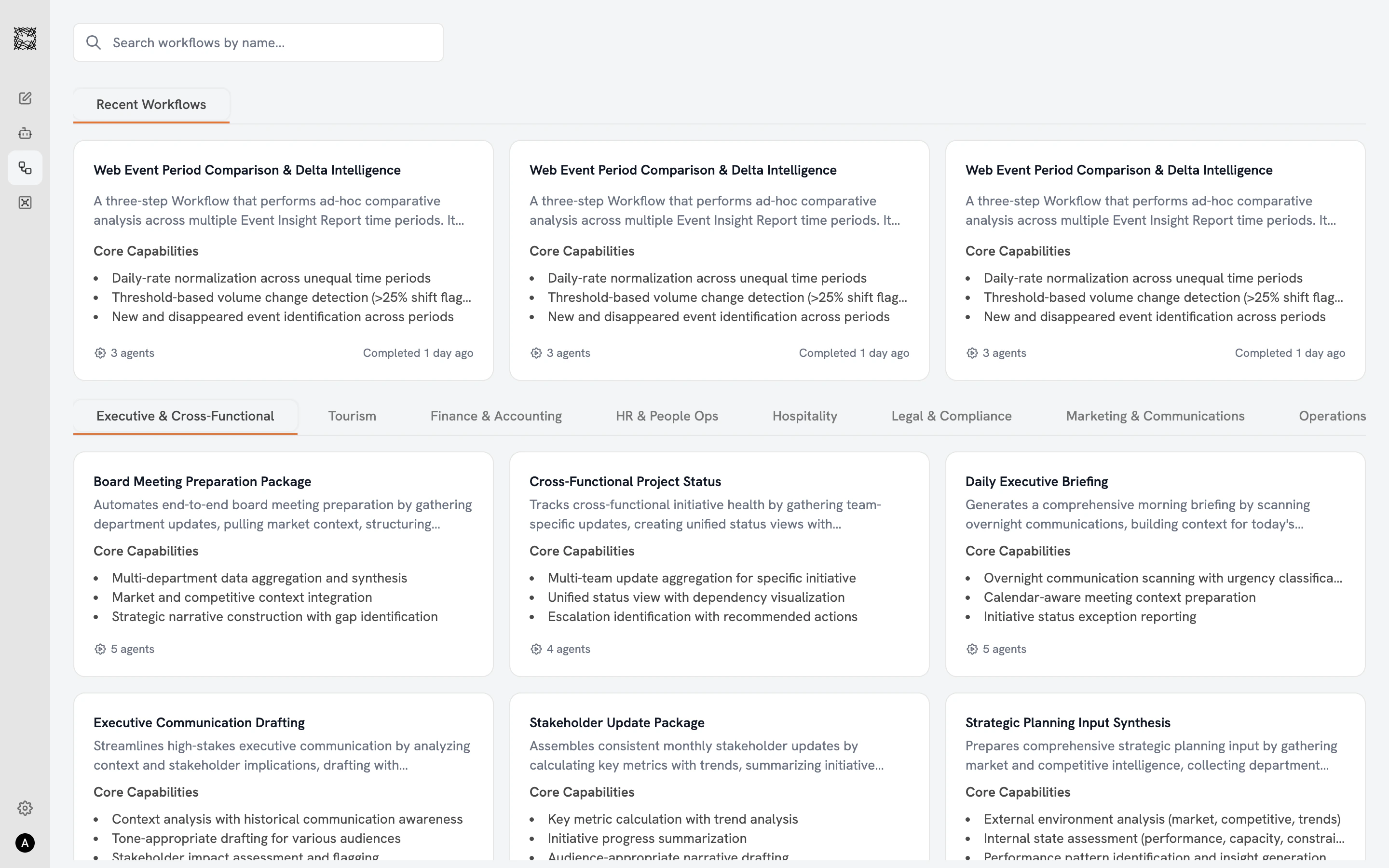
The Workflow catalog displays all 71 Workflows in a three-column card grid. A search bar at the top lets you find Workflows by name. The “Recent Workflows” row shows Workflows you have run recently (personalized to you). Department filter tabs across the top let you filter by function, matching the same departments as Agents. Each Workflow card shows the Workflow’s name, description, core capabilities, and an Agent count badge at the bottom (e.g., “4 agents”). Completed Workflows display a timestamp (“Completed 1 day ago”). Active Workflows show a green “Running” badge with progress (“Agent 1 of 4”).Selecting a Workflow
Click any Workflow card to open the detail view:- Use Cases: Four to five example prompts and scenarios showing when this Workflow is most valuable.
- Core Capabilities (green checkmarks): What this Workflow produces.
- Limitations / Quality Standards (red indicators): What to keep in mind when reviewing the deliverable.
How Workflows differ from Agents
Workflows are built from the same specialist Agents you can work with individually. The difference is coordination: a Workflow brings multiple Sub-agents together with a shared purpose and passes context between them automatically. Each Sub-agent adds expertise that the next one inherits, building toward a comprehensive deliverable. If you need a single Agent’s perspective on one task, work with an Agent directly. If you need a comprehensive deliverable that requires multiple perspectives, start a Workflow.Working with Workflows
Configure inputs, start a Workflow, and explore results
Agents
Work with individual specialist Agents