

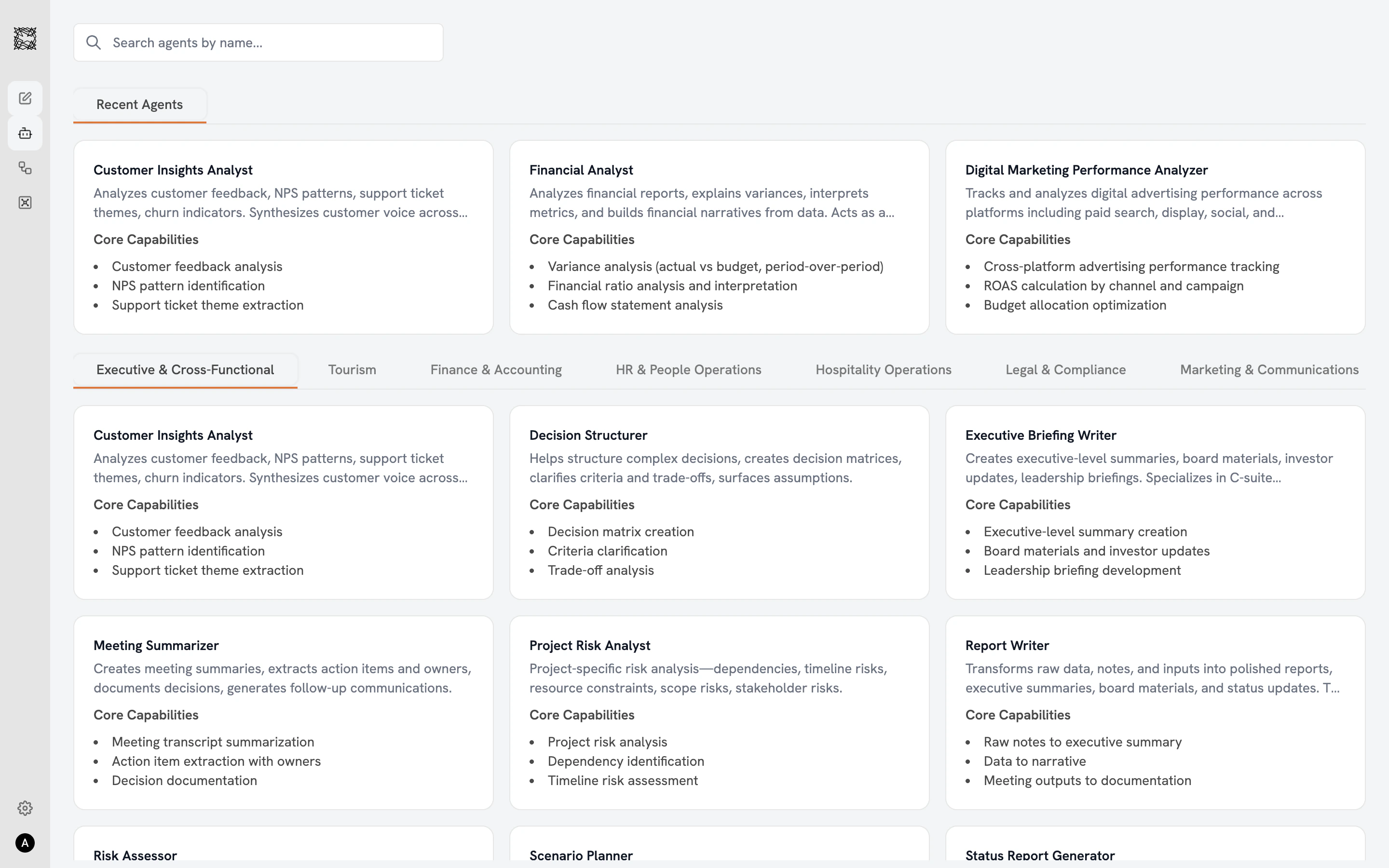
Browsing the catalog
The Agent catalog page displays your Agents in a three-column grid. A search bar at the top lets you find Agents by name. A “Recent Agents” row shows Agents you have worked with before (personalized per user). Below that, department filter tabs let you browse by function: Executive & Cross-Functional, Tourism, Finance & Accounting, HR & People Operations, Hospitality Operations, Legal & Compliance, Marketing & Communications, Operations & Procurement, Product & Technology, Strategy & Research, and Sales & Business Development. Each Agent card on the catalog page shows the Agent’s name, a one-to-two sentence description, and three to four core capabilities.What each Agent shows you
Click any Agent card to open the detail view:- Use Cases: Five example prompts showing what you can ask this Agent.
- Core Capabilities (green checkmarks): The full list of skills this Agent brings to every conversation.
- Limitations / Quality Standards (red indicators): What to keep in mind when reviewing results. Some Agents note data requirements; others set quality benchmarks.
11 departments, 77 Agents
Browse all Agents
Explore the full catalog organized by department
Working with Agents
What to expect when you start a conversation