

How Workflows work
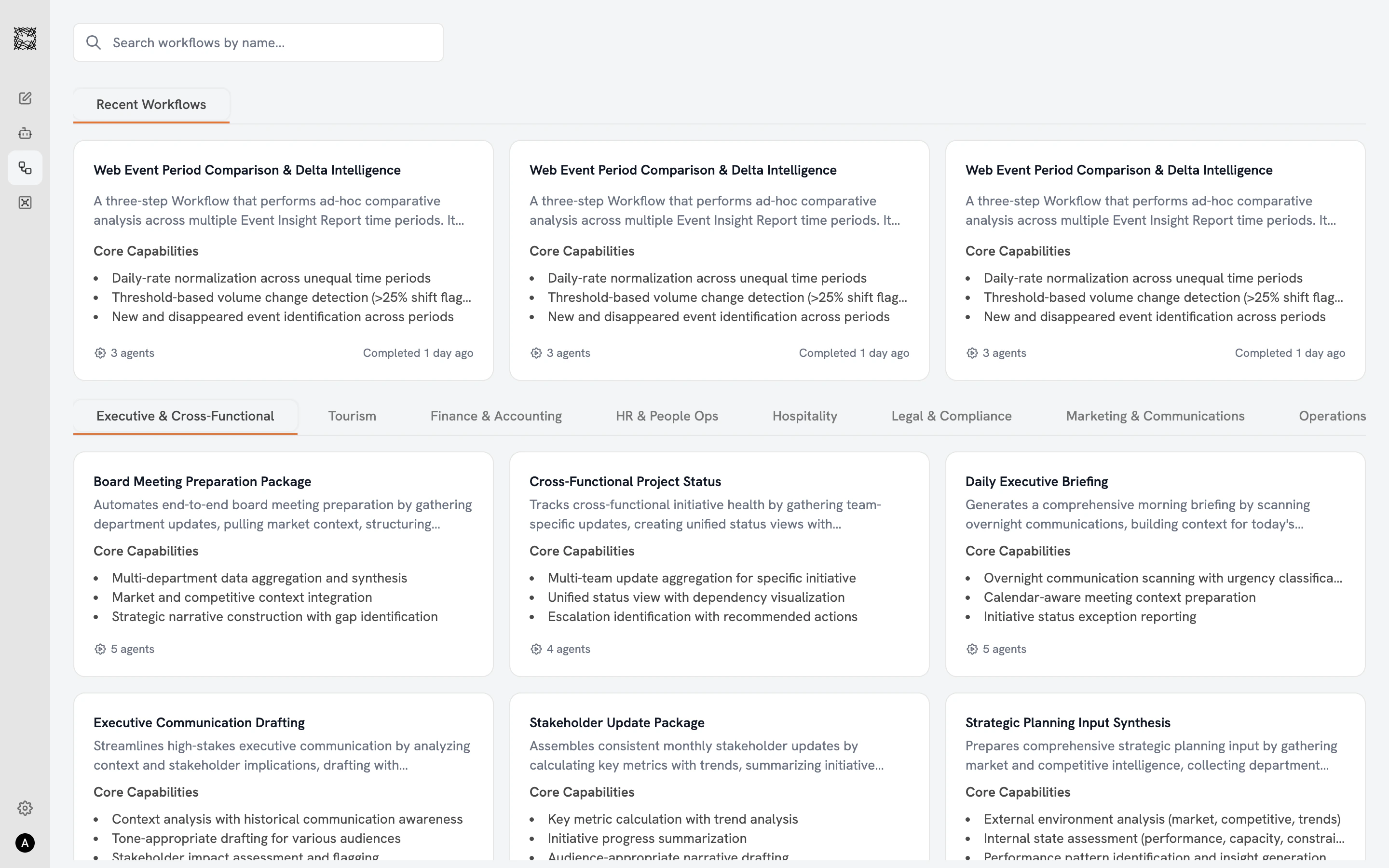
Each Workflow runs a sequence of specialist Sub-agents. You choose a Workflow, configure inputs (Connectors and files) for each Sub-agent step, and click Start Workflow. Each Sub-agent executes in order, passing its output to the next. The final Sub-agent synthesizes everything into a single comprehensive deliverable. The Workflow catalog shows each Workflow’s name, description, core capabilities, and an Agent count badge (e.g., “4 agents”) at the bottom of each card. Active Workflows display a green “Running” badge with progress (“Agent 1 of 4”).Attaching relevant Connectors and files to each Sub-agent step produces the best results. Without inputs, the Workflow still runs, but Sub-agents will have limited context for analysis.
The setup page
After clicking “Use Workflow” from the detail view, a setup page shows each Sub-agent step displayed vertically with numbered orange circle badges. Each step includes a full description, core capabilities, and buttons to add Connectors and add files from your Vault. Status indicators in the top-right corner of each step track progress: empty (not started), spinning (working), or green checkmark (completed). Click Start Workflow at the bottom when your inputs are configured.Watching execution
Once started, Sub-agents execute one by one. Status indicators animate through the sequence. On the catalog page, your running Workflow shows a green badge with real-time progress. The execution view uses a split-screen layout: the left side shows the chat conversation with Sub-agent outputs, and the right side shows the persistent Workflow panel with all Sub-agent steps and their statuses. After the final Sub-agent delivers its output, the conversation continues: ask follow-up questions, request additional analysis, or explore the suggested next steps.11 departments, 71 Workflows
Browse all Workflows
Explore the full catalog organized by department
Working with Workflows
Configure inputs, start a Workflow, and explore results